36 — 汹涌大海的着色 Shader
简介
在《Raging Sea》课程的结尾,我曾建议有兴趣的同学进一步为海面添加反射效果。
到现在,你应该已经意识到这个任务有多难了。
幸运的是,既然我们已经了解了基础着色(shading)的工作原理,就可以把这些知识应用到汹涌的大海上。而且更好的是,我们还能复用上一课中准备好的光照函数。
下面是最终效果:
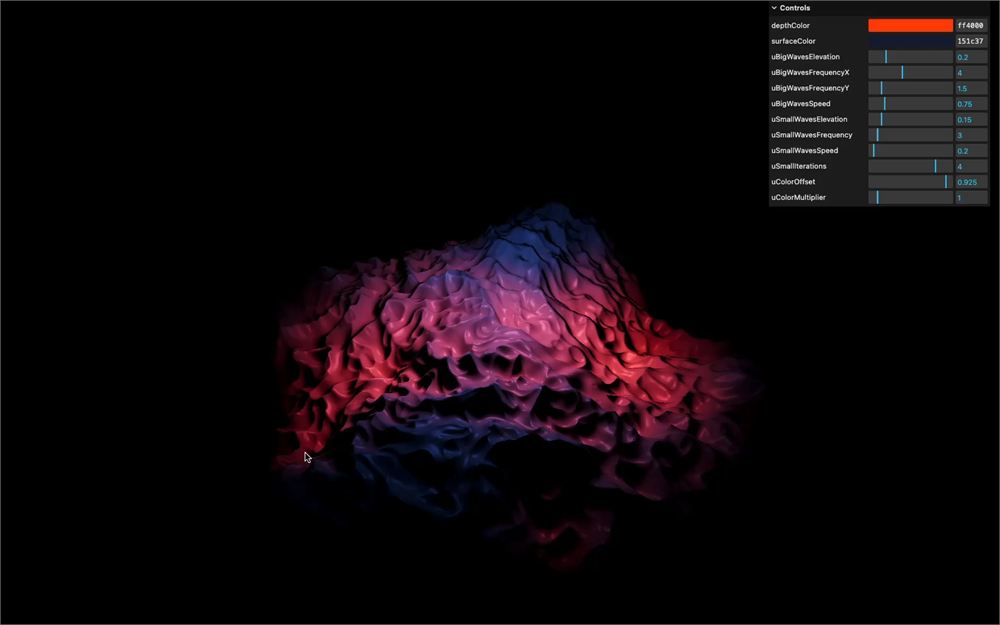
这也是一个让海水看起来更加史诗感的机会,仿佛海底发生了某些神秘的事情。
准备工作
本课的起始代码与《Raging Sea》课程结束时完全相同:
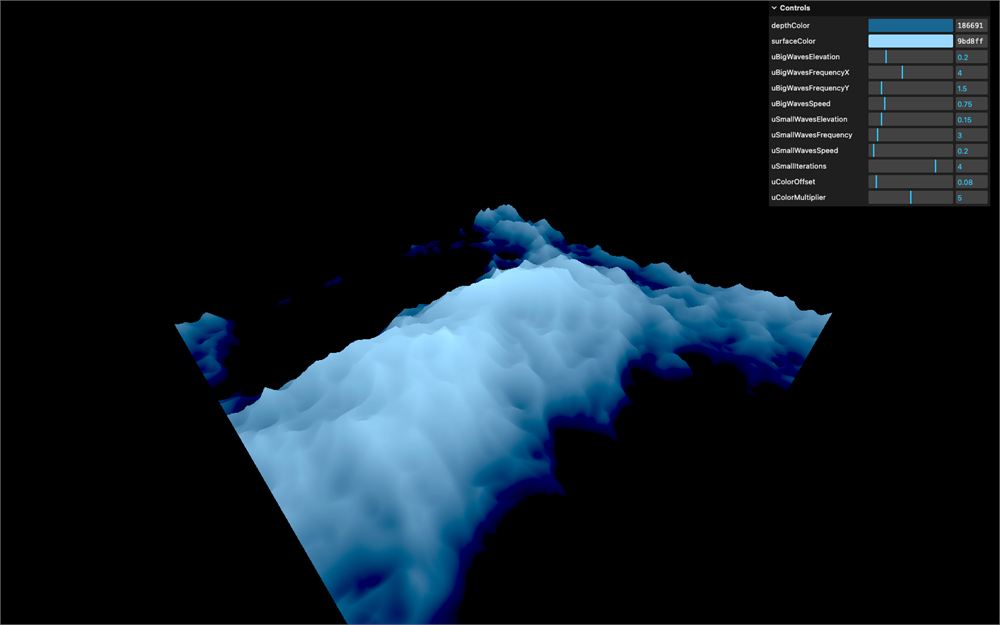
- 一个细分良好的平面用作海面
- 位于
src/shaders/water/文件夹中的自定义 shaders,用于处理海浪的上下动画以及颜色 - 一个
lil-gui实例,包含一些用于控制 shader 的调节项 - 用于处理 GLSL 文件的
vite-plugin-glsl依赖 OrbitControls用于围绕旋转
调整初始设置
我们要调整一下初始设置,以适应接下来的效果,并让海水看起来像前面展示的那样更史诗一些。
最初的配色是为了突出浪尖并制造对比。但这次不再需要了,因为光照着色本身就会带来大量真实而自然的对比。
我们把 depthColor 改为 #ff4000,把 surfaceColor 改为 #151c37:
debugObject.depthColor = '#ff4000'
debugObject.surfaceColor = '#151c37'
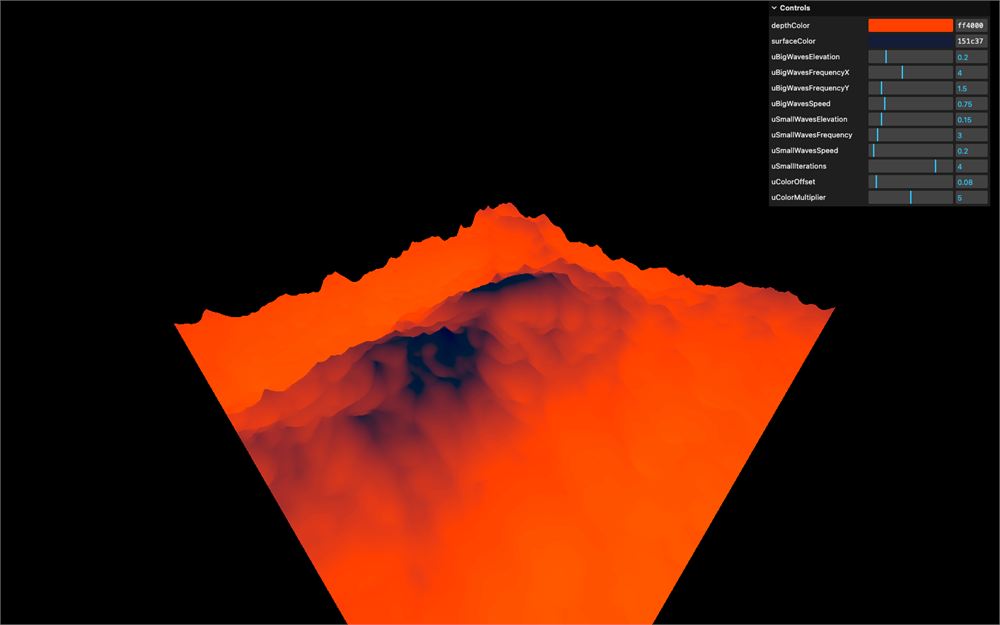
现在我们还需要更新渐变的偏移和幅度。
在 waterMaterial 的 uniforms 中,把 uColorOffset 改为 0.925,把 uColorMultiplier 改为 1:
const waterMaterial = new THREE.ShaderMaterial({
    // ...
    uniforms:
    {
        // ...
        uColorOffset: { value: 0.925 },
        uColorMultiplier: { value: 1 }
    }
})
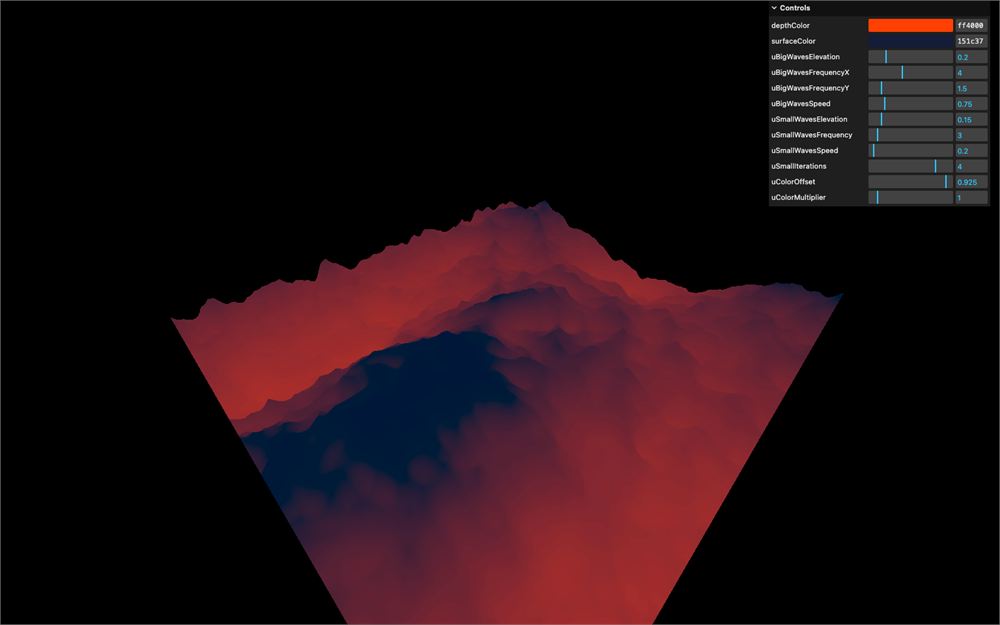
看起来已经史诗多了。
准备 shader
在添加任何光照着色之前,我们需要先准备一下 shader,并稍微整理一下结构。
其实起始代码本可以提前准备好,但我希望你能从 Raging Sea 课程结束时的原始状态开始。
Perlin 函数
把 cnoise 函数重命名为 perlinClassic3D,别忘了同时修改你在 main() 中调用它的地方:
float perlinClassic3D(vec3 P)
{
    // ...
}

void main()
{
    // ...

    for(float i = 1.0; i <= uSmallIterations; i++)
    {
        elevation -= abs(perlinClassic3D(vec3(modelPosition.xz * uSmallWavesFrequency * i, uTime * uSmallWavesSpeed)) * uSmallWavesElevation / i);
    }

    // ...
}
cnoise 代表 classic noise,这没错,但不够准确。
接下来,我们把它放到另一个文件中,这样它就不会占掉顶点着色器的大部分篇幅。
在 src/shaders/ 文件夹中,创建一个 includes/ 文件夹。
在 includes/ 文件夹中,创建一个 perlinClassic3D.glsl 文件,加入该函数,以及配套的 permute、taylorInvSqrt 和 fade 函数:
// Classic Perlin 3D Noise
// by Stefan Gustavson
//
vec4 permute(vec4 x)
{
    return mod(((x*34.0)+1.0)*x, 289.0);
}
vec4 taylorInvSqrt(vec4 r)
{
    return 1.79284291400159 - 0.85373472095314 * r;
}
vec3 fade(vec3 t)
{
    return t*t*t*(t*(t*6.0-15.0)+10.0);
}

float perlinClassic3D(vec3 P)
{
    vec3 Pi0 = floor(P); // Integer part for indexing
    vec3 Pi1 = Pi0 + vec3(1.0); // Integer part + 1
    Pi0 = mod(Pi0, 289.0);
    Pi1 = mod(Pi1, 289.0);
    vec3 Pf0 = fract(P); // Fractional part for interpolation
    vec3 Pf1 = Pf0 - vec3(1.0); // Fractional part - 1.0
    vec4 ix = vec4(Pi0.x, Pi1.x, Pi0.x, Pi1.x);
    vec4 iy = vec4(Pi0.yy, Pi1.yy);
    vec4 iz0 = Pi0.zzzz;
    vec4 iz1 = Pi1.zzzz;

    vec4 ixy = permute(permute(ix) + iy);
    vec4 ixy0 = permute(ixy + iz0);
    vec4 ixy1 = permute(ixy + iz1);

    vec4 gx0 = ixy0 / 7.0;
    vec4 gy0 = fract(floor(gx0) / 7.0) - 0.5;
    gx0 = fract(gx0);
    vec4 gz0 = vec4(0.5) - abs(gx0) - abs(gy0);
    vec4 sz0 = step(gz0, vec4(0.0));
    gx0 -= sz0 * (step(0.0, gx0) - 0.5);
    gy0 -= sz0 * (step(0.0, gy0) - 0.5);

    vec4 gx1 = ixy1 / 7.0;
    vec4 gy1 = fract(floor(gx1) / 7.0) - 0.5;
    gx1 = fract(gx1);
    vec4 gz1 = vec4(0.5) - abs(gx1) - abs(gy1);
    vec4 sz1 = step(gz1, vec4(0.0));
    gx1 -= sz1 * (step(0.0, gx1) - 0.5);
    gy1 -= sz1 * (step(0.0, gy1) - 0.5);

    vec3 g000 = vec3(gx0.x,gy0.x,gz0.x);
    vec3 g100 = vec3(gx0.y,gy0.y,gz0.y);
    vec3 g010 = vec3(gx0.z,gy0.z,gz0.z);
    vec3 g110 = vec3(gx0.w,gy0.w,gz0.w);
    vec3 g001 = vec3(gx1.x,gy1.x,gz1.x);
    vec3 g101 = vec3(gx1.y,gy1.y,gz1.y);
    vec3 g011 = vec3(gx1.z,gy1.z,gz1.z);
    vec3 g111 = vec3(gx1.w,gy1.w,gz1.w);

    vec4 norm0 = taylorInvSqrt(vec4(dot(g000, g000), dot(g010, g010), dot(g100, g100), dot(g110, g110)));
    g000 *= norm0.x;
    g010 *= norm0.y;
    g100 *= norm0.z;
    g110 *= norm0.w;
    vec4 norm1 = taylorInvSqrt(vec4(dot(g001, g001), dot(g011, g011), dot(g101, g101), dot(g111, g111)));
    g001 *= norm1.x;
    g011 *= norm1.y;
    g101 *= norm1.z;
    g111 *= norm1.w;

    float n000 = dot(g000, Pf0);
    float n100 = dot(g100, vec3(Pf1.x, Pf0.yz));
    float n010 = dot(g010, vec3(Pf0.x, Pf1.y, Pf0.z));
    float n110 = dot(g110, vec3(Pf1.xy, Pf0.z));
    float n001 = dot(g001, vec3(Pf0.xy, Pf1.z));
    float n101 = dot(g101, vec3(Pf1.x, Pf0.y, Pf1.z));
    float n011 = dot(g011, vec3(Pf0.x, Pf1.yz));
    float n111 = dot(g111, Pf1);

    vec3 fade_xyz = fade(Pf0);
    vec4 n_z = mix(vec4(n000, n100, n010, n110), vec4(n001, n101, n011, n111), fade_xyz.z);
    vec2 n_yz = mix(n_z.xy, n_z.zw, fade_xyz.y);
    float n_xyz = mix(n_yz.x, n_yz.y, fade_xyz.x);
    return 2.2 * n_xyz;
}
回到 vertex.glsl,把所有这些部分替换成一个 #include:
#include ../includes/perlinClassic3D.glsl

void main()
{
    // ...
}
注释
在顶点着色器中添加一些注释,稍微分隔一下各部分:
void main()
{
    // Base position
    vec4 modelPosition = modelMatrix * vec4(position, 1.0);

    // Elevation
    float elevation = sin(modelPosition.x * uBigWavesFrequency.x + uTime * uBigWavesSpeed) *
                      sin(modelPosition.z * uBigWavesFrequency.y + uTime * uBigWavesSpeed) *
                      uBigWavesElevation;

    for(float i = 1.0; i <= uSmallIterations; i++)
    {
        elevation -= abs(perlinClassic3D(vec3(modelPosition.xz * uSmallWavesFrequency * i, uTime * uSmallWavesSpeed)) * uSmallWavesElevation / i);
    }

    modelPosition.y += elevation;

    // Final position
    vec4 viewPosition = viewMatrix * modelPosition;
    vec4 projectedPosition = projectionMatrix * viewPosition;
    gl_Position = projectedPosition;

    // Varyings
    vElevation = elevation;
}
在片元着色器中也做同样的事:
void main()
{
    // Base color
    float mixStrength = (vElevation + uColorOffset) * uColorMultiplier;
    vec3 color = mix(uDepthColor, uSurfaceColor, mixStrength);

    // Final color
    gl_FragColor = vec4(color, 1.0);
    #include <colorspace_fragment>
}
这听起来可能有点多余,但我们接下来会往 vertex.glsl 里添加不少代码,在它变得复杂之前保持结构清晰总是好的。
Smoothstep
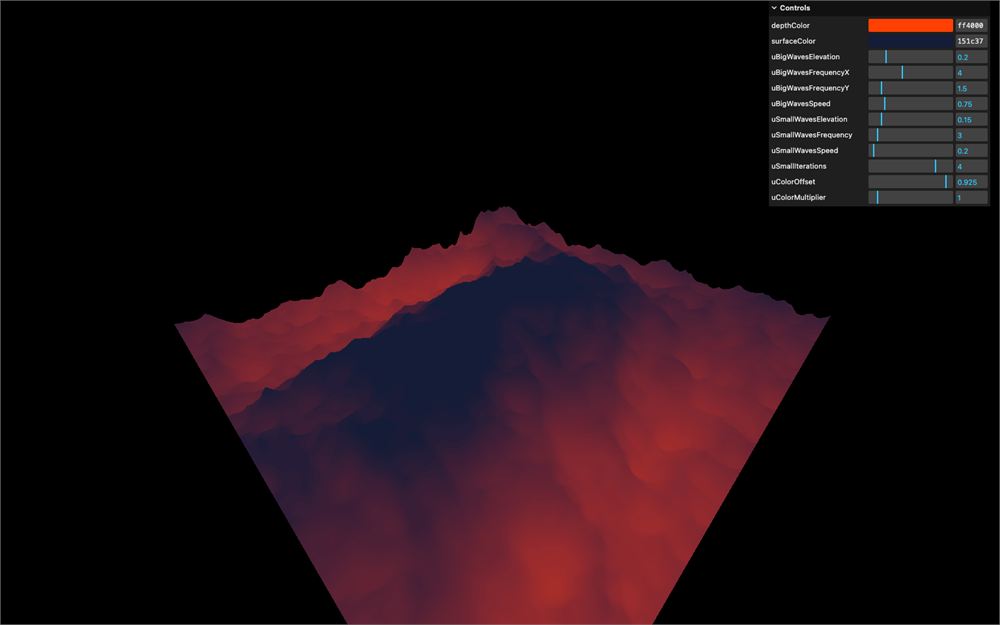
在片元着色器中,我们通过对 mixStrength 应用 smoothstep 来增强渐变的观感:
void main()
{
    // Base color
    float mixStrength = (vElevation + uColorOffset) * uColorMultiplier;
    mixStrength = smoothstep(0.0, 1.0, mixStrength);
    // ...
}
色调映射
虽然我们目前没有对渲染器使用任何色调映射(tone mapping),但我们可以提前考虑它,把 tonemapping_fragment chunk 加在 colorspace_fragment chunk 之前:
void main()
{
    // ...

    // Final color
    gl_FragColor = vec4(color, 1.0);
    #include <tonemapping_fragment>
    #include <colorspace_fragment>
}
灯光
最后,既然我们要用到灯光,就把上一课的光照 includes 也加到我们的 includes/ 文件夹中。
src/shaders/includes/ambientLight.glsl:
vec3 ambientLight(vec3 lightColor, float lightIntensity)
{
    return lightColor * lightIntensity;
}src/shaders/includes/directionalLight.glsl:
vec3 directionalLight(vec3 lightColor, float lightIntensity, vec3 normal, vec3 lightPosition, vec3 viewDirection, float specularPower)
{
    vec3 lightDirection = normalize(lightPosition);
    vec3 lightReflection = reflect(- lightDirection, normal);

    // Shading
    float shading = dot(normal, lightDirection);
    shading = max(0.0, shading);

    // Specular
    float specular = - dot(lightReflection, viewDirection);
    specular = max(0.0, specular);
    specular = pow(specular, specularPower);

    return lightColor * lightIntensity * (shading + specular);
}src/shaders/includes/pointLight.glsl:
vec3 pointLight(vec3 lightColor, float lightIntensity, vec3 normal, vec3 lightPosition, vec3 viewDirection, float specularPower, vec3 position, float lightDecay)
{
    vec3 lightDelta = lightPosition - position;
    float lightDistance = length(lightDelta);
    vec3 lightDirection = normalize(lightDelta);
    vec3 lightReflection = reflect(- lightDirection, normal);

    // Shading
    float shading = dot(normal, lightDirection);
    shading = max(0.0, shading);

    // Specular
    float specular = - dot(lightReflection, viewDirection);
    specular = max(0.0, specular);
    specular = pow(specular, specularPower);

    // Decay
    float decay = 1.0 - lightDistance * lightDecay;
    decay = max(0.0, decay);

    return lightColor * lightIntensity * decay * (shading + specular);
}
平行光
我们要添加一个平行光光源。如果你还记得上一课,我们需要法线和视线方向。
法线
先从法线开始。
在 vertex.glsl 中,创建一个 vec3 vNormal varying:
varying vec3 vNormal;这次,我们不要犯那个常见的错误——忘记把模型变换应用到法线上。
把 modelMatrix 应用到 normal 上,把它的第四个值设为 0.0,并赋值给 vNormal,但由于 vNormal 是 vec3,只对 xyz 做 swizzle:
void main()
{
    // ...

    // Varyings
    vElevation = elevation;
    vNormal = (modelMatrix * vec4(normal, 0.0)).xyz;
}
在 fragment.glsl 中,同样,我们不要犯忘记再次归一化法线的错误。
取出 vNormal varying,对它使用 normalize,并把结果保存为 vec3 normal:
varying float vElevation;
varying vec3 vNormal;

void main()
{
    vec3 normal = normalize(vNormal);

    // ...
}
我们的法线应该准备好了。对吧?
嗯,其实并不完全对,但我们先往下走,很快就会看到问题出在哪里。
视线方向
光照接下来需要的是视线方向。它是从摄像机指向片元位置的向量。但首先,我们需要片元位置。
在 vertex.glsl 中,创建一个 vec3 vPosition varying,并赋值为 modelPosition.xyz:
varying float vElevation;
varying vec3 vNormal;
varying vec3 vPosition;

// ...

void main()
{
    // ...

    // Varyings
    vElevation = elevation;
    vNormal = (modelMatrix * vec4(normal, 0.0)).xyz;
    vPosition = modelPosition.xyz;
}
在 fragment.glsl 中取出它:
varying float vElevation;
varying vec3 vNormal;
varying vec3 vPosition;
因为视线方向是从摄像机指向片元位置的向量,我们可以用 vPosition 减去 cameraPosition。别忘了归一化它:
void main()
{
    vec3 viewDirection = normalize(vPosition - cameraPosition);
    vec3 normal = normalize(vNormal);

    // ...
}
实现平行光
平行光所需的东西我们应该都齐了。
首先 include directionalLight 函数:
#include ../includes/directionalLight.glsl

void main()
{
    // ...
}
在 main() 中,创建一个初始值为 vec3(0.0) 的 vec3 light,用下面这些参数把 directionalLight 的结果累加到它上面,然后把它与 color 相乘:
void main()
{
    // ...

    // Light
    vec3 light = vec3(0.0);

    light += directionalLight(
        vec3(1.0),            // Light color
        1.0,                  // Light intensity,
        normal,               // Normal
        vec3(-1.0, 0.5, 0.0), // Light position
        viewDirection,        // View direction
        30.0                  // Specular power
    );

    color *= light;

    // ...
}
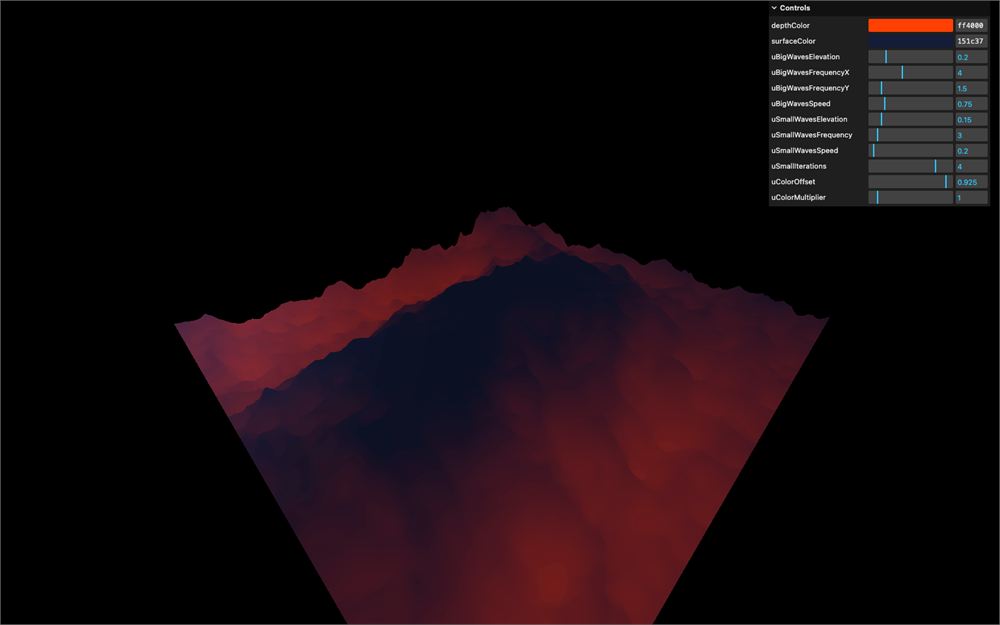
结果并不符合预期。
计算法线
如果你旋转摄像机,应该会注意到颜色出现了一些变化,像是一片没有跟随海面真实表面的大反射。
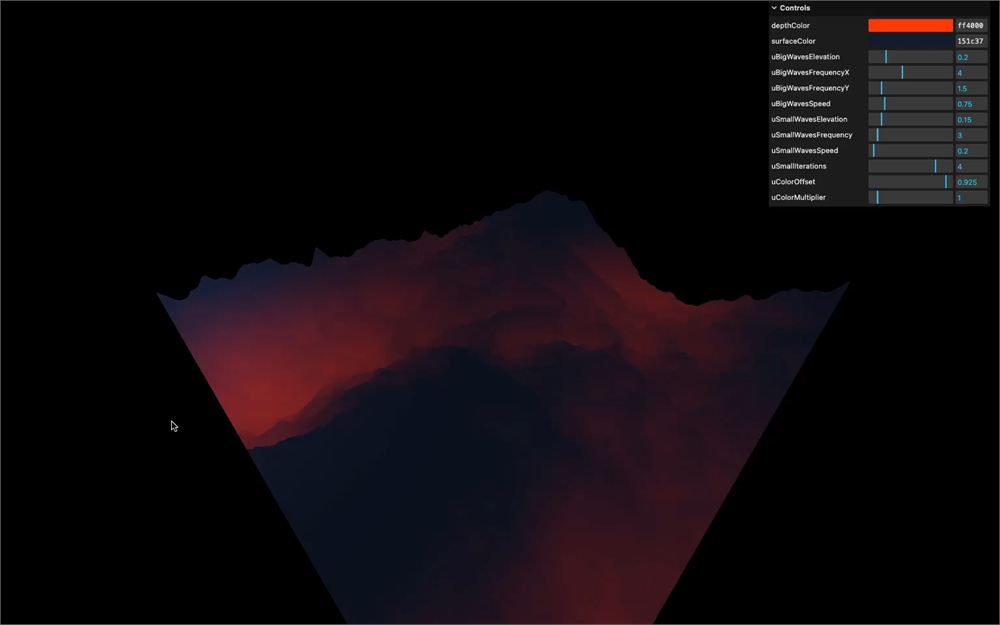
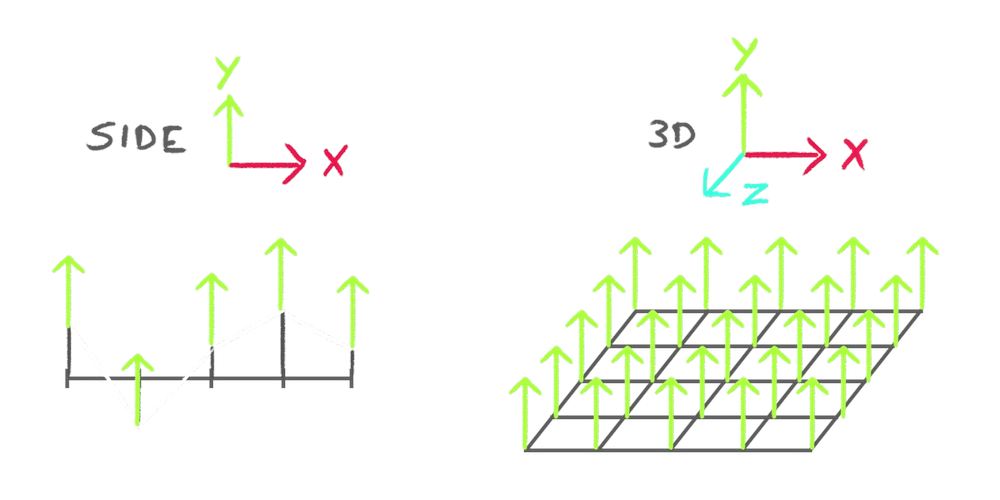
实际情况是,所有的法线目前都朝上,完全忽略了海浪的实际形状:
你可以很容易地通过把 normal 传给 gl_FragColor 来验证这一点:
void main()
{
    // ...
    gl_FragColor = vec4(normal, 1.0);
    // ...
}
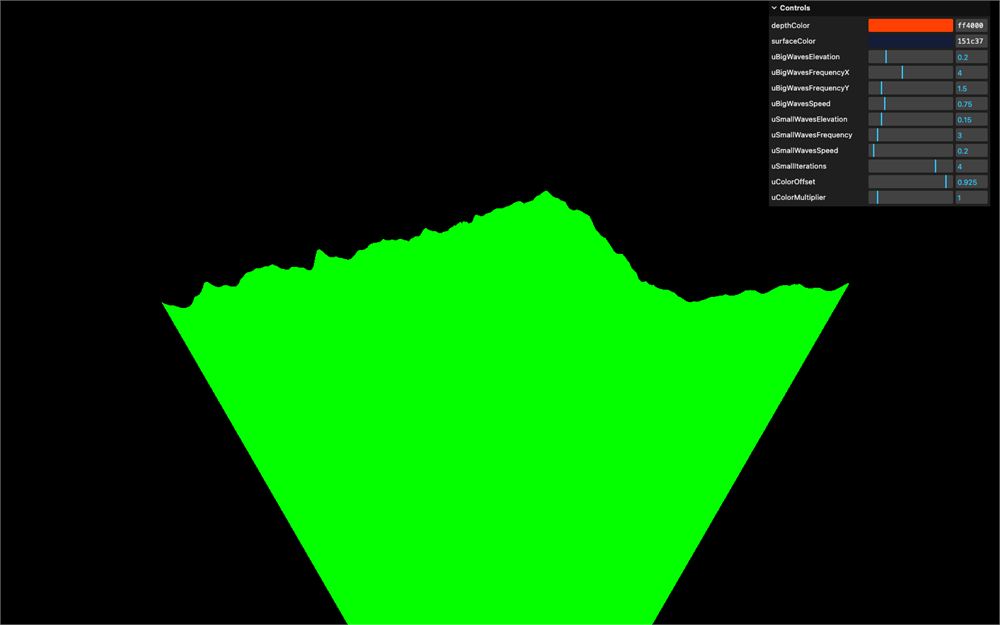
如果它是绿色的,说明 g 值等于 1.0,而 r 和 b 值等于 0.0。由于 g 对应 y 轴,所以所有法线都朝上。
原因是:我们使用的是几何体属性中的 normal,而那些法线并不受海浪影响。我们不能直接更新这个属性,因为它需要根据我们在顶点着色器中计算的海浪在每一帧发生变化。
我们需要自己计算新的朝向。
原理
计算法线有多种方式,取决于很多因素,但在网格(grid)的情况下,我们可以使用邻居(neighbours)技巧。
我们将忽略几何体自带的 normal 属性,改为计算邻居的理论位置来计算法线。
一个邻居位于 x 轴上更远的位置(我们称它为 A),另一个邻居位于 z 轴上更远的位置(我们称它为 B):
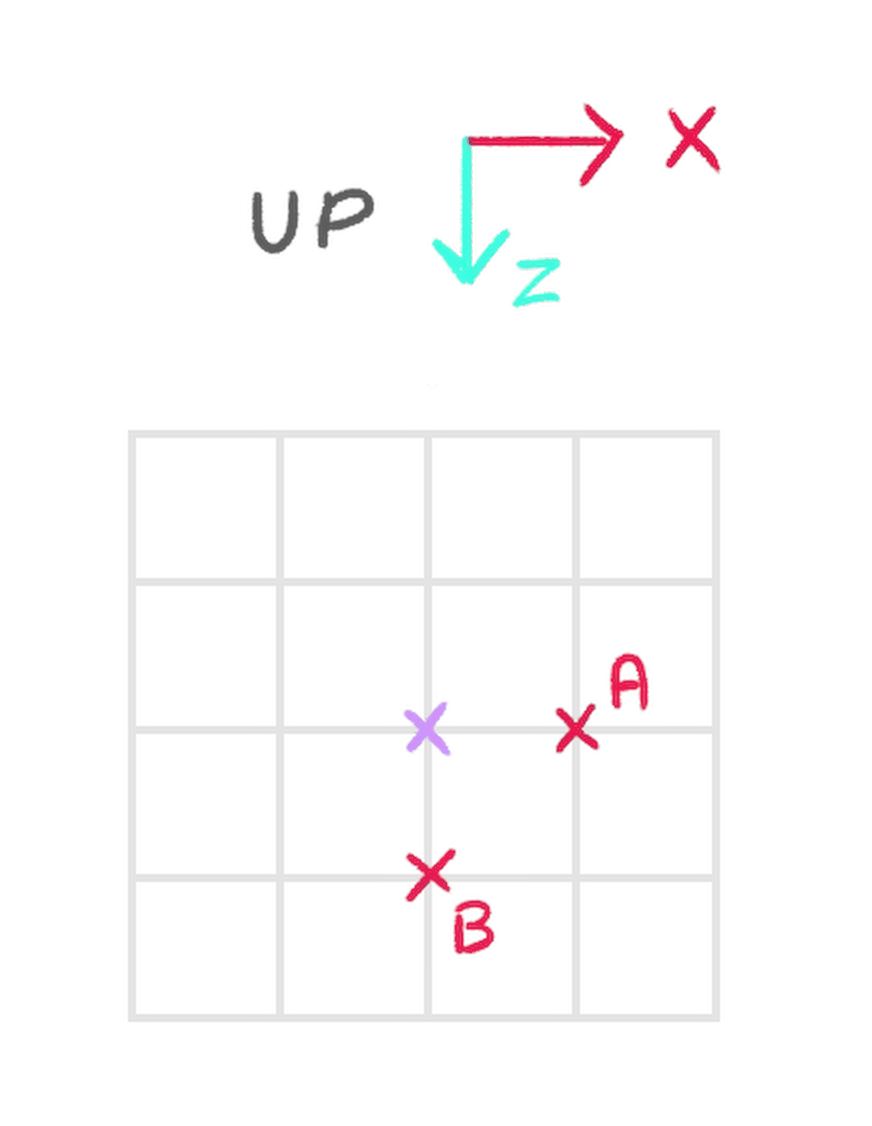
A 和 B 纯粹是理论上的。我们看不到它们,但会计算它们的位置。
然后我们像处理当前顶点那样,更新这些邻居的高程:
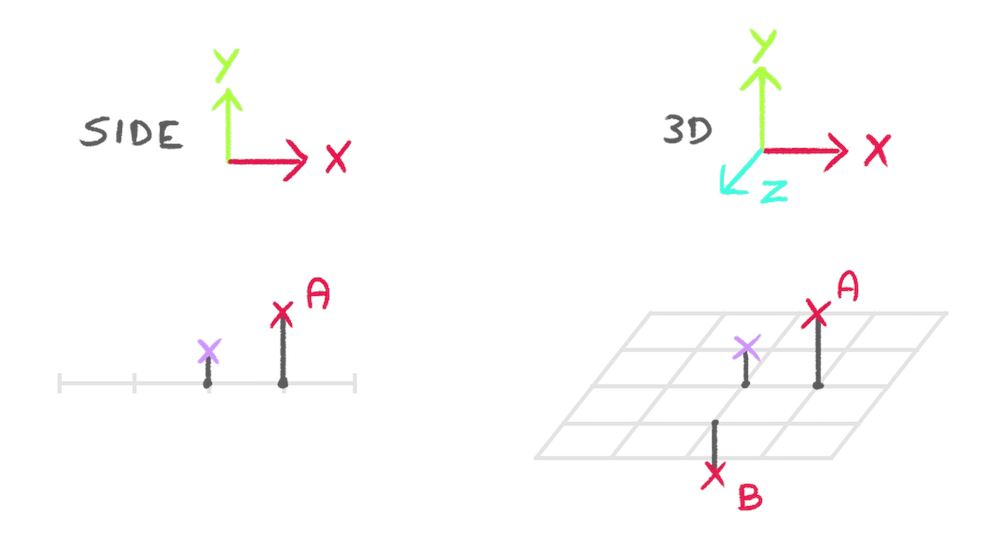
我们计算一个从顶点指向 A 的向量(我们称它为 toA),再计算一个从顶点指向 B 的向量(我们称它为 toB):
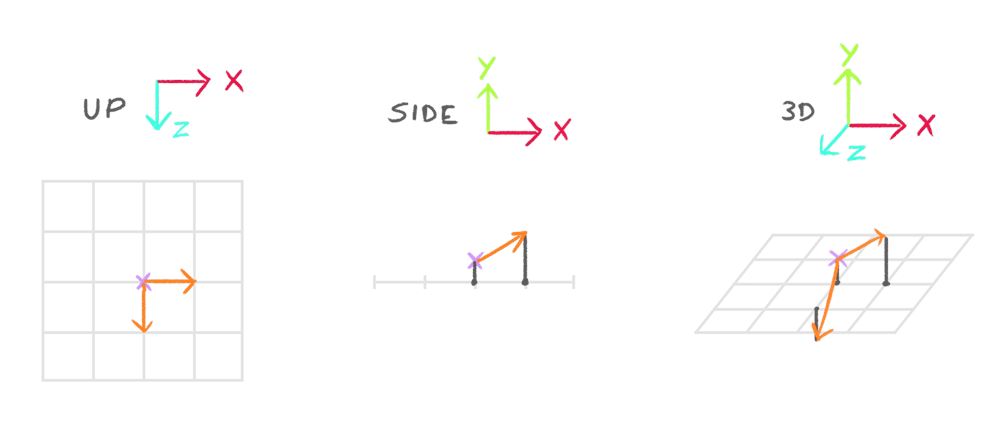
我们计算出的法线应该是同时垂直于 toA 和 toB 的向量,好消息是有一个叫叉积(cross product)的函数正好能做这件事:
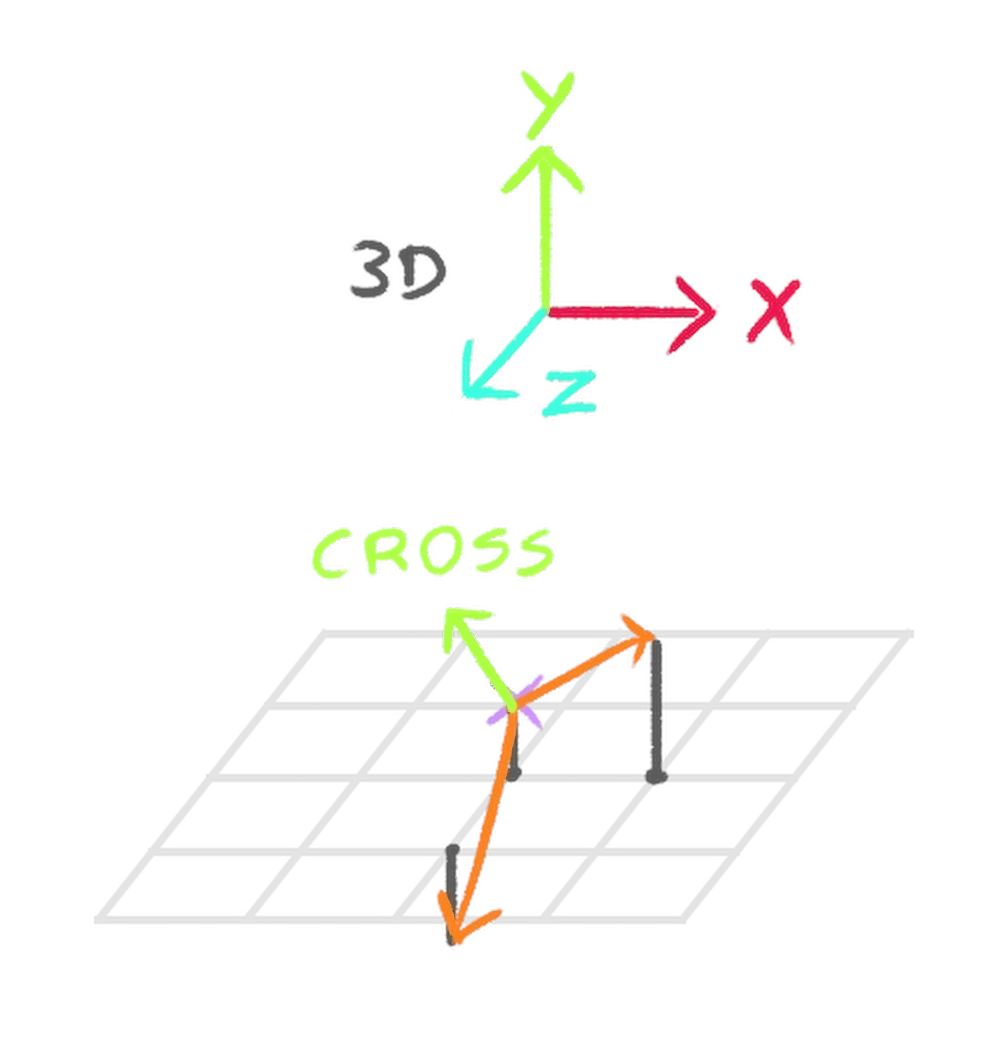
把高程写成函数
由于我们需要计算 3 个位置的高程(当前顶点和两个邻居),最好把计算放进一个函数里,以免重复太多代码。
在 vertex.glsl 中、main() 之前,创建一个 waveElevation 函数,接受一个 vec3 position 作为唯一参数,并返回一个 float(高程):
float waveElevation(vec3 position)
{

}

void main()
{
    // ...
}
我们不需要把这段代码放进 include,因为它对这个 shader 非常特定。
在该函数中,把所有与 elevation 计算相关的代码放进去,把 modelPosition 替换为 position(参数),并返回 elevation:
float waveElevation(vec3 position)
{
    float elevation = sin(position.x * uBigWavesFrequency.x + uTime * uBigWavesSpeed) *
                      sin(position.z * uBigWavesFrequency.y + uTime * uBigWavesSpeed) *
                      uBigWavesElevation;

    for(float i = 1.0; i <= uSmallIterations; i++)
    {
        elevation -= abs(perlinClassic3D(vec3(position.xz * uSmallWavesFrequency * i, uTime * uSmallWavesSpeed)) * uSmallWavesElevation / i);
    }

    return elevation;
}
在 main() 中,把整个 elevation 部分替换为对这个函数的调用,并把 modelPosition.xyz 传给它:
void main()
{
    // ...

    // Elevation
    float elevation = waveElevation(modelPosition.xyz);
    modelPosition.y += elevation;

    // ...
}
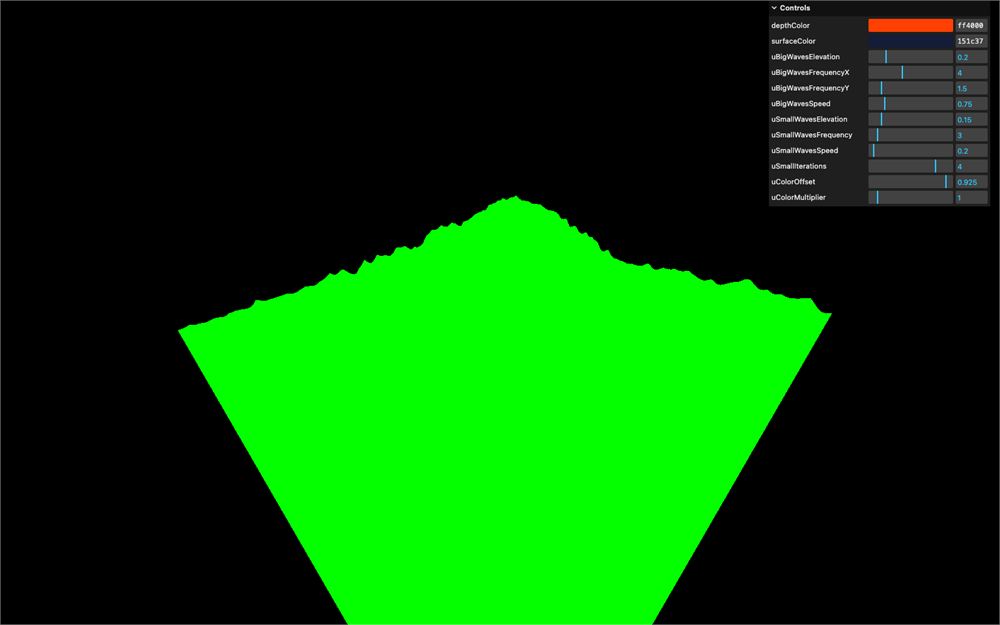
海浪的效果应该和之前完全一样。
坐标轴辅助
在计算邻居之前,我们先添加一个 AxesHelper,以便理解各个坐标轴的方向。
在 script.js 中、创建 scene 之后,添加一个 AxesHelper 并稍微向上移动它:
// Scene
const scene = new THREE.Scene()

// Axes helper
const axesHelper = new THREE.AxesHelper()
axesHelper.position.y += 0.25
scene.add(axesHelper)
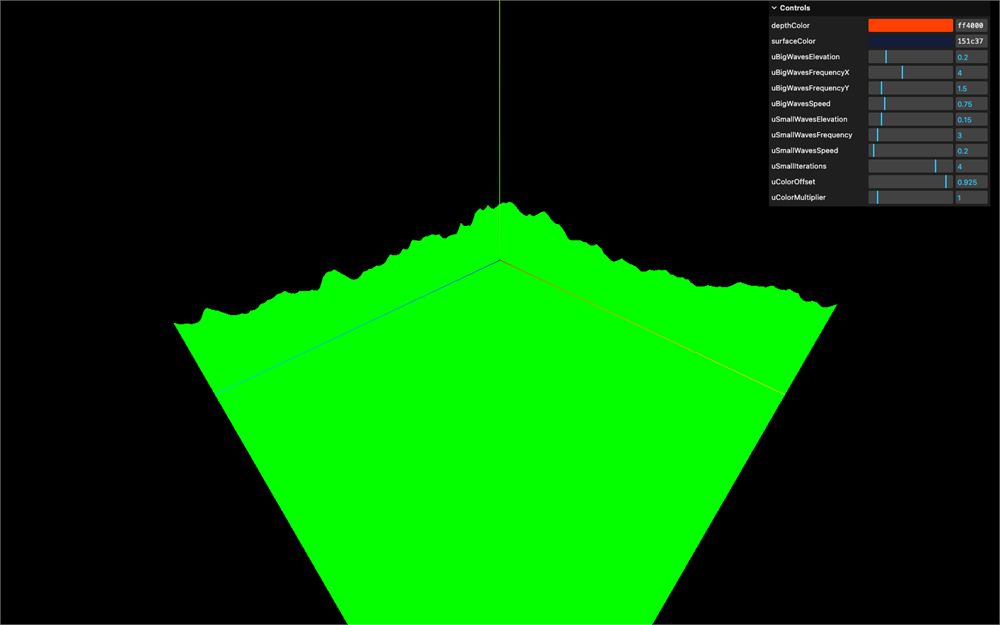
邻居的基础位置
首先,我们需要确定要计算的邻居的距离。
我们把这个距离称为 shift。
我们本可以使用到下一个顶点的实际距离,但记住,那些邻居纯粹是理论上的,我们可以尝试更小或更大的距离。
shift 较小,我们可能会捕捉到最终海浪中看不见的高程细节。
shift 较大,我们可能会漏掉高程细节。
一般规则是:把 shift 取得足够小,以捕捉最小的海浪细节。在看到结果之后,再随意调节 shift 以获得最佳效果。现在,我们先把它设为 0.01。
在 vertex.glsl 中、设置 modelPosition 之前,创建一个 float shift 变量并设为 0.01:
void main()
{
    // Base position
    float shift = 0.01;
    vec4 modelPosition = modelMatrix * vec4(position, 1.0);

    // ...
}
现在我们需要创建两个邻居的基础位置。先从 x 轴上的邻居 A 开始。
我们以 modelPosition 为起点,使用 shift 在 x 上稍微偏移它。我们称它为 modelPositionA,它将是一个 vec3:
void main()
{
    // Base position
    float shift = 0.01;
    vec4 modelPosition = modelMatrix * vec4(position, 1.0);
    vec3 modelPositionA = modelPosition.xyz + vec3(shift, 0.0, 0.0);

    // ...
}
modelPosition 是 vec4,因为我们之后要对其应用矩阵,但 modelPositionA 不需要任何矩阵,所以 vec3 就够了。
目前我们看不到任何视觉变化。但这不应妨碍你保存并检查 shader 中是否有错误。
我们对 z 轴上的邻居也做同样的事。称它为 modelPositionB,但用 - shift 把它移动到负的 z 方向:
void main()
{
    // Base position
    float shift = 0.01;
    vec4 modelPosition = modelMatrix * vec4(position, 1.0);
    vec3 modelPositionA = modelPosition.xyz + vec3(shift, 0.0, 0.0);
    vec3 modelPositionB = modelPosition.xyz + vec3(0.0, 0.0, - shift);

    // ...
}
你可能会疑惑:为什么是负的 z 而不是正的 z?这是因为叉积的缘故,但在讨论这个话题之前,我们还需要再写几行代码。
邻居的高程
我们现在可以用 waveElevation 函数来计算邻居的高程,并像处理 modelPosition 那样更新它们的 y 轴:
void main()
{
    // ...

    // Elevation
    float elevation = waveElevation(modelPosition.xyz);
    modelPosition.y += elevation;
    modelPositionA.y += waveElevation(modelPositionA);
    modelPositionB.y += waveElevation(modelPositionB);

    // ...
}
计算邻居的方向
现在我们知道了邻居在哪里,还需要从顶点指向这些邻居的向量。
一如既往,从 A 到 B 的向量可以通过用 B 减去 A 来计算:
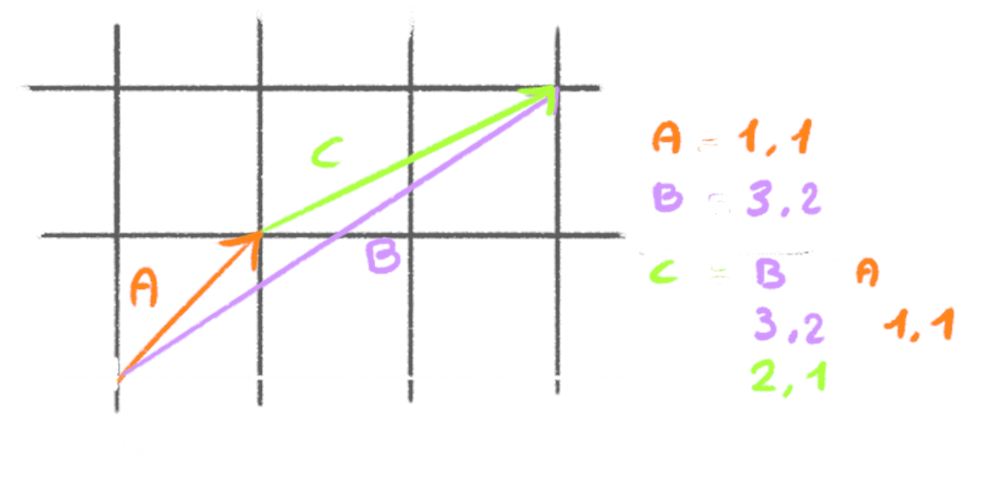
我们把这两个向量称为 toA 和 toB:
void main()
{
    // ...

    // Compute normal
    vec3 toA = modelPositionA - modelPosition.xyz;
    vec3 toB = modelPositionB - modelPosition.xyz;

    // ...
}
我们将把这些向量用于叉积函数,而它要求向量是归一化的(长度为 1),这可以通过调用 normalize 来实现:
void main()
{
    // ...

    // Compute normal
    vec3 toA = normalize(modelPositionA - modelPosition.xyz);
    vec3 toB = normalize(modelPositionB - modelPosition.xyz);

    // ...
}
计算法线
我们已经可以用前面聊了很久的叉积函数来计算法线了。但在那之前,我们先尝试理解并直观感受一下这个函数。
叉积会输出一个同时垂直于两个输入向量的向量。
一个简单又“顺手”的可视化方法是使用你的右手。注意,用左手是不行的。
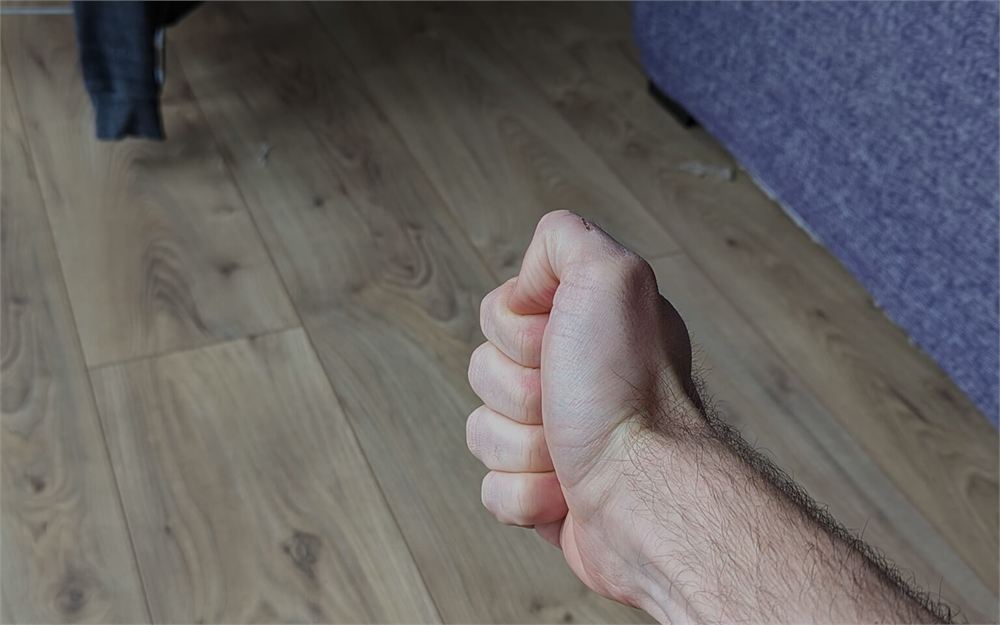
把右手放在面前并握拳:
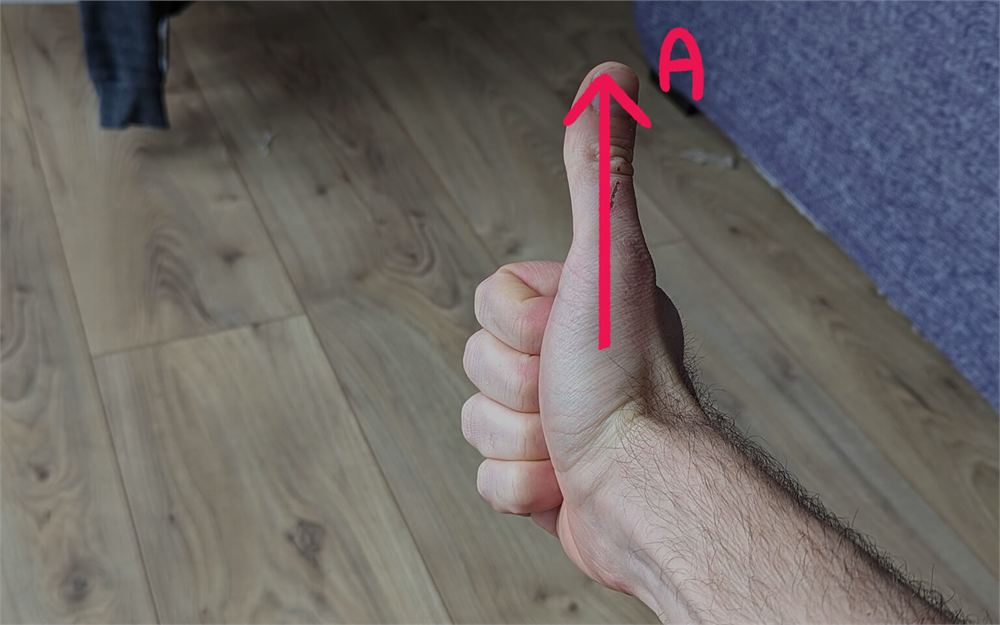
竖起你的拇指,这就是你的邻居 A:
伸出你的食指指向前方,这就是你的邻居 B:
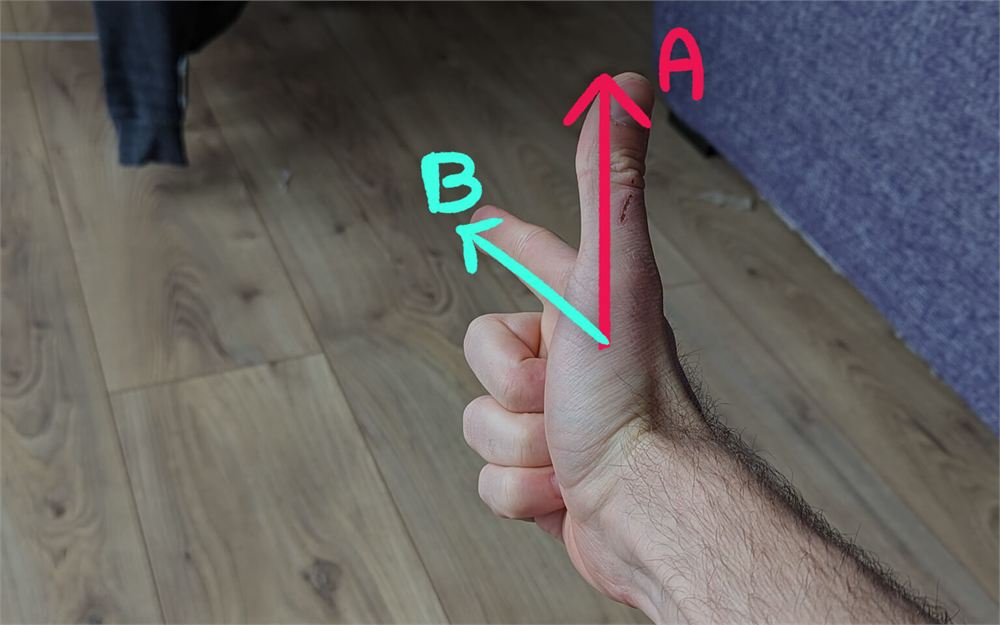
现在以 90° 的角度伸出你的中指,这就是你的叉积。
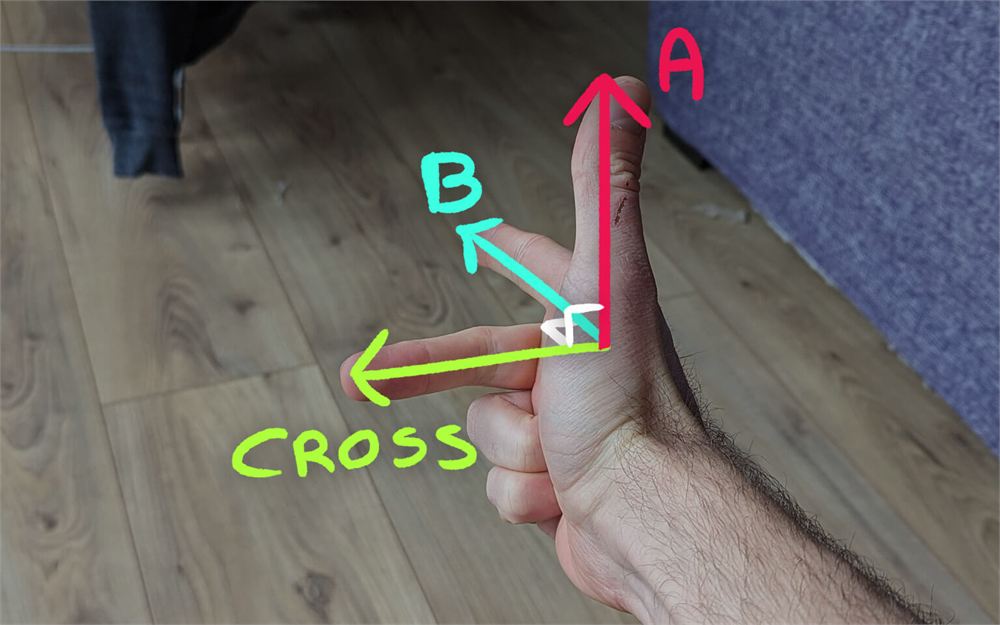
这就是如何根据 A 和 B 的方向来直观判断叉积会指向哪里。
你可以移动你的手,也可以缩小拇指和食指之间的夹角,但只要你的中指与两者都保持 90° 角,那它就是叉积。
这也是为什么我们把邻居 B 偏移到负的 z 而不是正的 z。试着转动你的手去匹配 A 和 B 两个邻居,你会发现在正的 z 下,叉积会指向下方。
说得够多了,手势也够多了,我们来计算那条法线吧。
创建一个 vec3 computeNormal 变量,调用 cross 函数,并把 toA 和 toB 传给它:
void main()
{
    // ...

    // Compute normal
    vec3 toA = normalize(modelPositionA - modelPosition.xyz);
    vec3 toB = normalize(modelPositionB - modelPosition.xyz);
    vec3 computedNormal = cross(toA, toB);

    // ...
}
把它赋值给 vNormal:
void main()
{
    // ...
    vNormal = computedNormal;
    // ...
}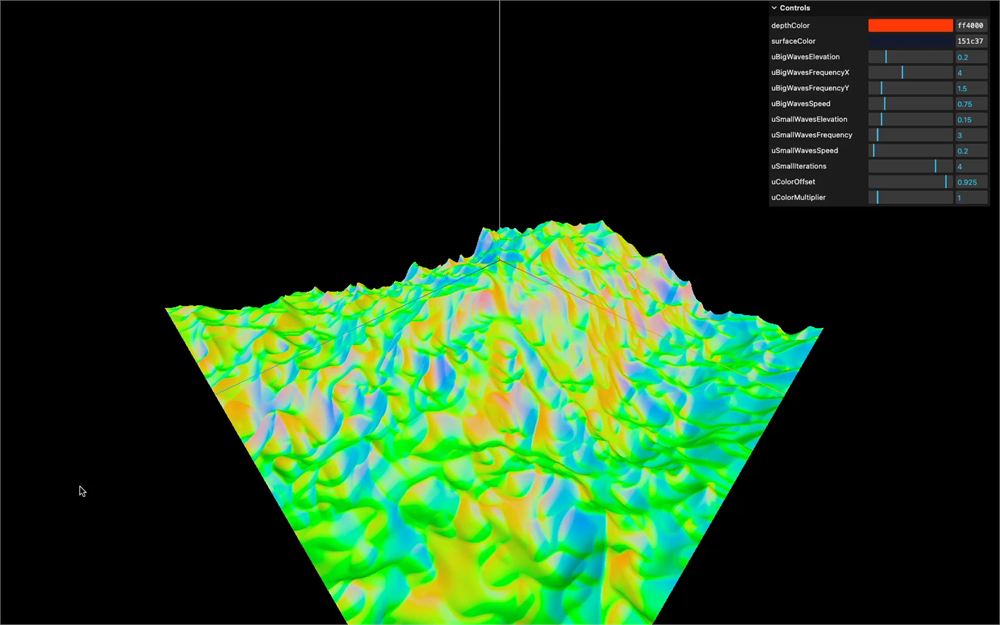
这是一条看起来很不错的法线。
它仍然大体是绿色的,因为表面总体朝上,但我们会根据表面的朝向得到一些变化。
最后润色
我们快完成了。让我们找回基础颜色并稍作改进。
移除法线属性
既然我们是自己计算法线,就可以用 BufferGeometry 及其任何继承类上可用的 deleteAttribute 方法,从几何体中移除 normal 属性:
const waterGeometry = new THREE.PlaneGeometry(2, 2, 512, 512)
waterGeometry.deleteAttribute('normal')
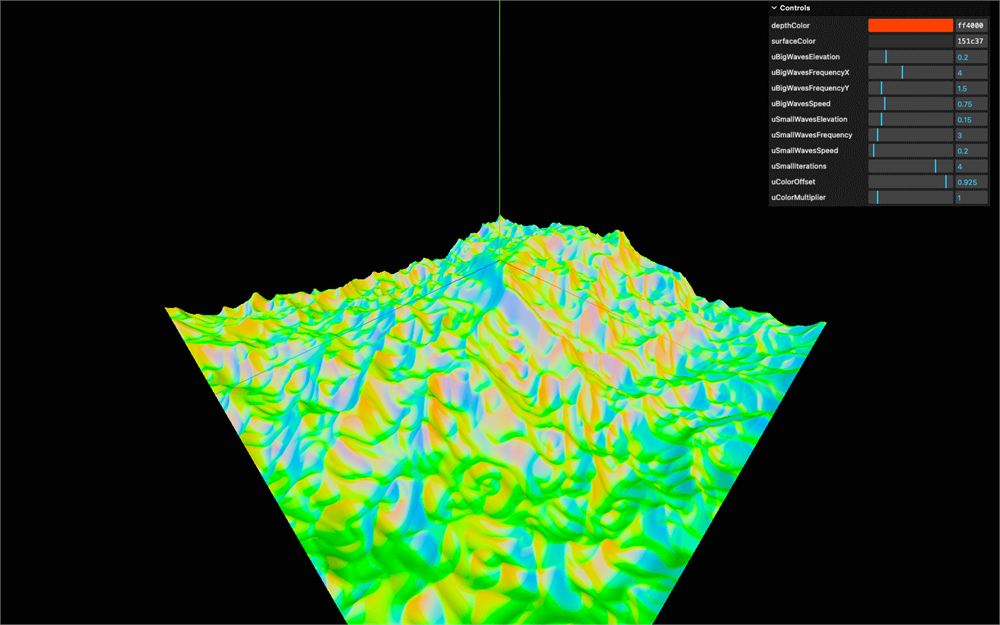
法线不受影响,同时我们释放了一些内存。
颜色
在 fragment.glsl 中,把 color 放回 gl_FragColor:
void main()
{
    // ...
    gl_FragColor = vec4(color, 1.0);
    // ...
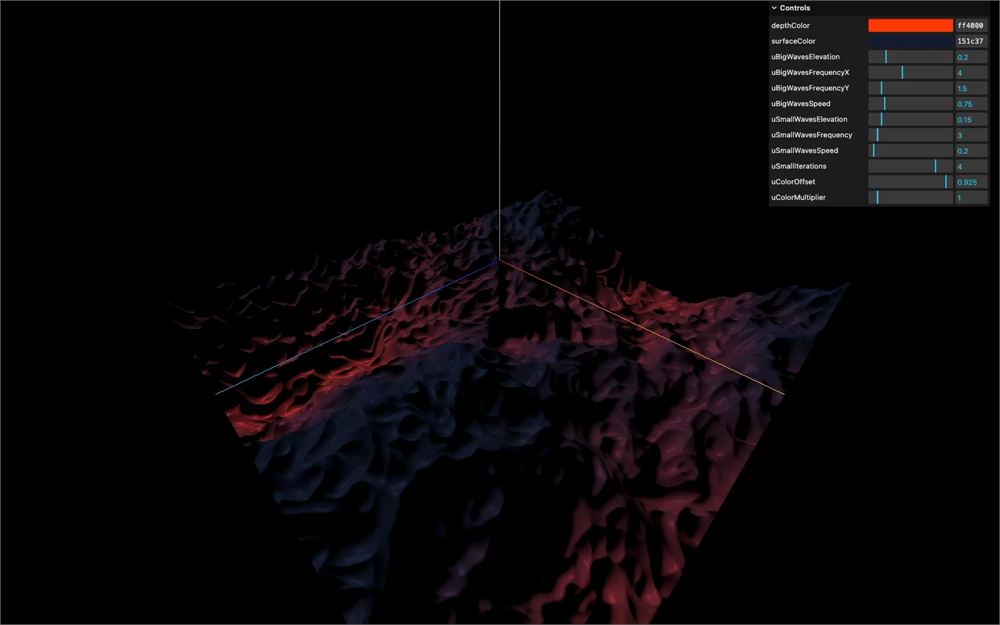
}
点光源
平行光看起来不错,但一个位于海面中心略上方的点光源会更好看。
把 #include ../includes/directionalLight.glsl 替换为 #include ../includes/pointLight.glsl,并用以下参数调用 pointLight() 函数:
#include ../includes/pointLight.glsl

void main()
{
    // ...

    light += pointLight(
        vec3(1.0),            // Light color
        10.0,                 // Light intensity,
        normal,               // Normal
        vec3(0.0, 0.25, 0.0), // Light position
        viewDirection,        // View direction
        30.0,                 // Specular power
        vPosition,            // Position
        0.95                  // Decay
    );

    // ...
}
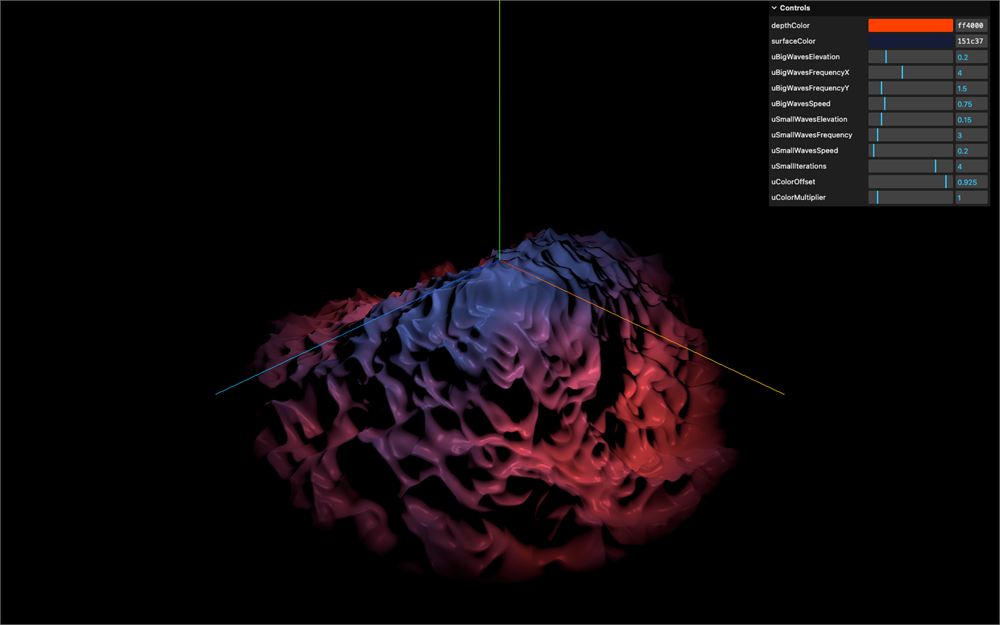
坐标轴辅助
移除 AxesHelper 实例:
// // Axes helper
// const axesHelper = new THREE.AxesHelper()
// axesHelper.position.y += 0.25;
// scene.add(axesHelper)
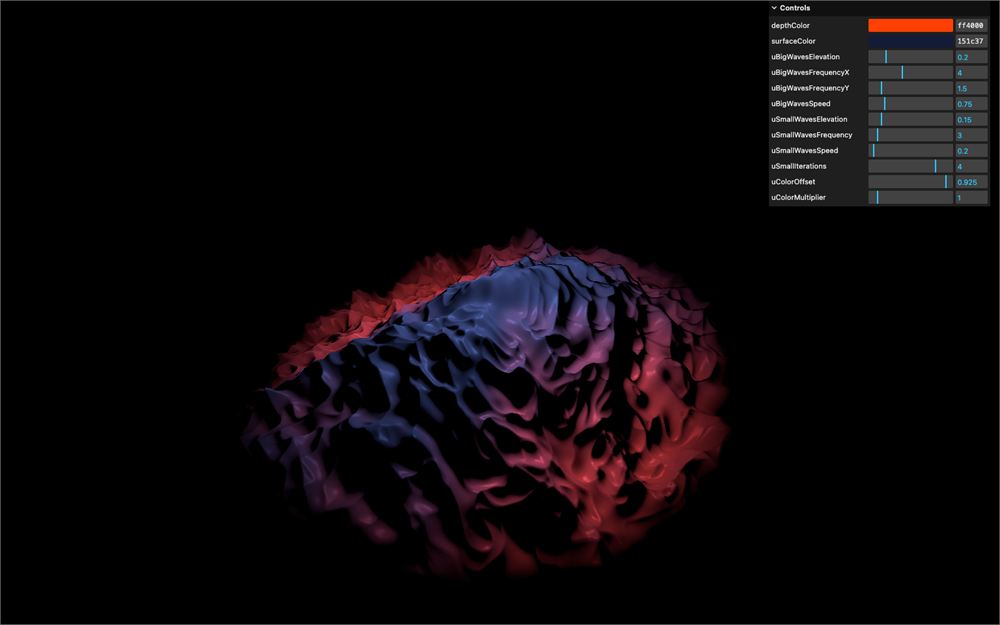
色调映射
在 renderer 上,把 toneMapping 设置为 THREE.ACESFilmicToneMapping,让颜色更有冲击力:
const renderer = new THREE.WebGLRenderer({
    canvas: canvas
})
renderer.toneMapping = THREE.ACESFilmicToneMapping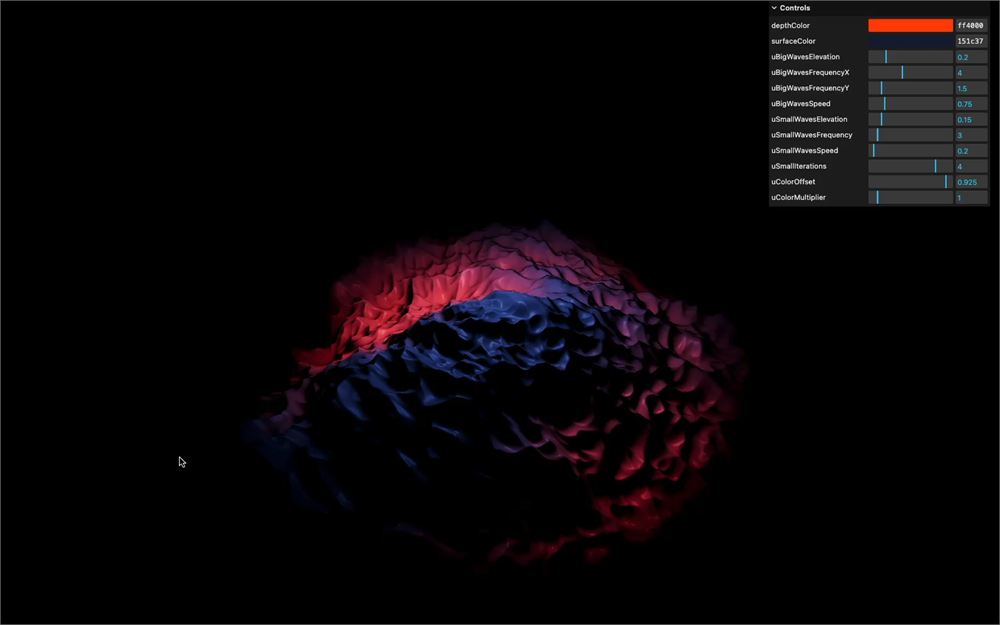
总结
这节课到此结束。与最初的汹涌大海相比,这是一次巨大的改进。
记住,计算法线取决于初始数据,如果不是因为我们用的是网格,我们就无法这么轻松地使用邻居技巧。
之后我们会在更复杂的几何体上计算法线,但那是另一节课的内容了。
过程中也很容易出错,因为我们写了很多代码却看不到屏幕上的任何东西。
为了学习和理解,我们经历了很多步骤、创建了很多变量,但代码其实可以大幅精简。欢迎你自己去优化它。
最后,这样计算法线是有代价的。我们把海浪高程公式执行了三次,而每一次又都会计算一堆 perlin 噪声。要留意性能,不要放太多顶点,也不要过多地调用 perlin 噪声函数。
延伸学习
一如既往,欢迎你在这节课的基础上改进。
这里有一些建议:
- 尝试不同的颜色
- 调节
shift - 改进处理颜色渐变的方式
- 在海面上放一些漂浮的物体(你需要在 JS 中计算海浪)
- 让海浪的深处更具自发光效果
- 添加更多灯光
- 让灯光动起来